Blogs
We share with you the latest industry trends, try to solve all your questions about flexible packaging machines and printing machines as well. Read our blogs to keep abreast of what’s new in the industry and in Zonbon.

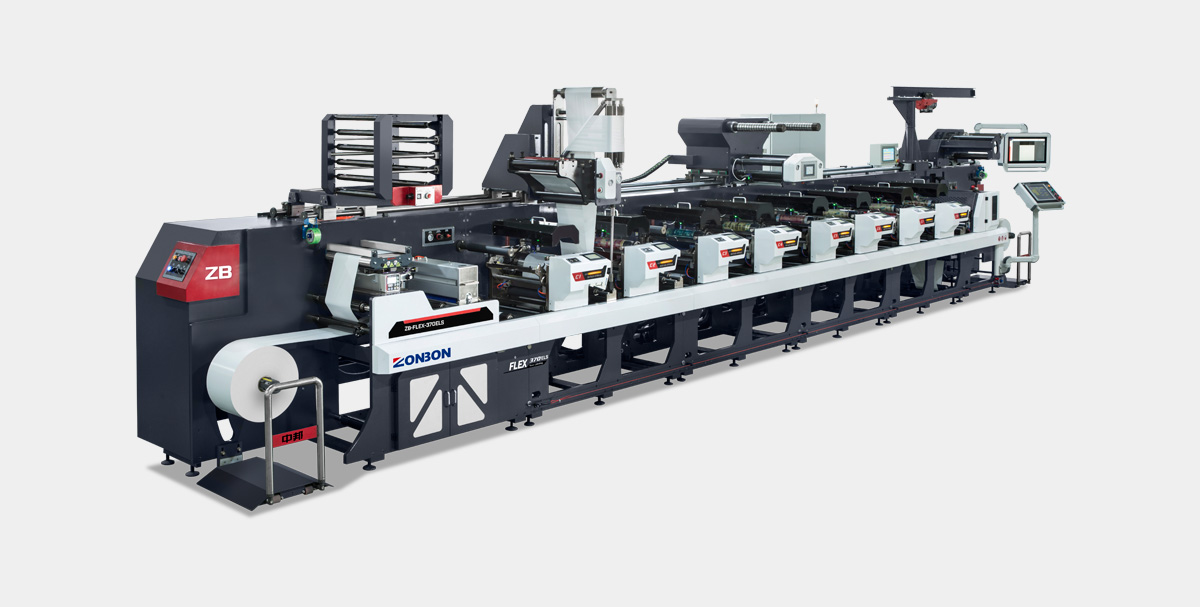
Flexographic Printing is a printing technology widely used in packaging, labels, flexible packaging, and other fields. It is characterized by high efficiency, environmental friendliness, and strong adaptability. As important equipment in the printing industry, the correct operation of a flexographic printing press directly affects print quality and production efficiency. This article details the usage methods of flexographic printing presses to help operators master the core operational procedures and improve print quality.
1.1 Main Components
Unwinding Unit: Responsible for the stable unwinding of the substrate.
Printing Unit: Includes core components such as the Plate Cylinder, Anilox Roller, and Doctor Blade.
Drying System: UV curing or hot air drying ensures rapid ink curing.
Rewinding Unit: Completes the rewinding of materials after printing.
Tension Control System: Ensures material stability during the printing process.
1.2 Working Principle
Flexographic printing uses flexible printing plates to transfer ink precisely from the anilox roller to the plate, and then onto the substrate. Its characteristics include:
Use of water-based or UV inks, offering strong environmental benefits.
Suitable for various materials such as paper, film, and labels.
Capable of high-speed continuous printing, suitable for mass production.
2.1 Pre-Startup Preparation
Equipment Status Check
Confirm that power, air supply, and ink supply systems are normal.
Check if the printing plate, anilox roller, and doctor blade are properly installed.
Material Loading
Correctly place the substrate on the unwinding shaft and adjust tension control.
Ink Preparation
Adjust ink viscosity according to printing requirements to ensure color consistency.
2.2 Printing Parameter Settings
Printing Pressure Adjustment
The pressure between the plate cylinder and impression cylinder must be moderate; excessive pressure causes dot distortion, while insufficient pressure affects transfer effectiveness.
Anilox Roller Selection
Choose the appropriate anilox roller based on pattern fineness (e.g., 400 LPI for fine patterns).
Drying System Settings
Adjust drying temperature and air speed according to the ink type (water-based/UV).
2.3 Test Printing and Adjustments
Low-Speed Test Printing
Conduct a test print at low speed (e.g., 30 m/min) to check registration, color, and drying effect.
Registration Adjustment
Use automatic registration systems or manual fine-tuning to ensure alignment of color units.
Ink Layer Control
Adjust ink volume via doctor blade angle and pressure to avoid ink misting or plate clogging.
2.4 Formal Printing and Monitoring
Gradual Speed Increase
After confirming satisfactory test results, gradually increase printing speed to production requirements (e.g., 150 m/min).
Real-Time Monitoring
Use online inspection systems (e.g., CCD cameras) to monitor print quality and make timely adjustments.
Regular Sampling Checks
Sample every 30 minutes to check parameters such as color, dryness, and registration accuracy.
Problem | Possible Causes | Solutions |
Blurry Print | Excessive plate pressure, excessive ink | Adjust pressure, reduce ink volume
|
Misregistration | Unstable tension, mechanical error | Check tension system, calibrate registration device |
Poor Ink Drying | Insufficient temperature/air speed, ink formulation issue | Increase drying parameters, change to suitable ink
|
Printing Streaks | Clogged anilox roller, worn doctor blade | Clean anilox roller, replace doctor blade |
Daily Cleaning
Clean the plate, anilox roller, and ink pan after each shutdown to prevent ink curing.
Regular Lubrication
Lubricate bearings, guides, and other components as required by the manual.
Key Component Inspection
Monthly inspection of doctor blade, pneumatic system, and electrical components.
Wear protective gloves during operation to avoid skin contact with ink.
Do not manually adjust equipment during high-speed operation.
Regularly check that emergency stop buttons function correctly.
Correct operation and maintenance of flexographic printing presses are key to ensuring print quality. Through scientific parameter settings, strict process control, and standardized maintenance management, production efficiency and product quality can be significantly improved. ZONBON Machinery is committed to providing high-performance flexographic printing equipment and professional technical support to help customers achieve efficient and stable printing production.
For further technical consultation, please contact the ZONBON professional engineer team.
pre: -
next: -
Zonbon, The Most Professional Flexible Printing and Packaging Converting Machines Manufacturer Around You.
© 2011-2025 Zonbon Printing & Packaging Machinery Co., Ltd. All Rights Reserved